Smarter suggestions: find the food you mean, faster
Most of logging happens in one little box: the name field on a new entry. You start typing, and Track'd suggests foods you already track so you can tap instead of re-entering everything. We just made that box a lot smarter — it finds the right food with less typing, forgives the odd typo, and even looks through your memos. Here's what changed and how to lean on it.
When the list got in the way
The old suggestions had two rough edges. Tap into an empty name field and it dumped everything you'd ever logged into one long scroll. And when you did type, it only matched the plain text of a food's name or brand — so a small typo found nothing at all. You'd end up scrolling a wall of foods, or re-typing the whole name to get a hit.
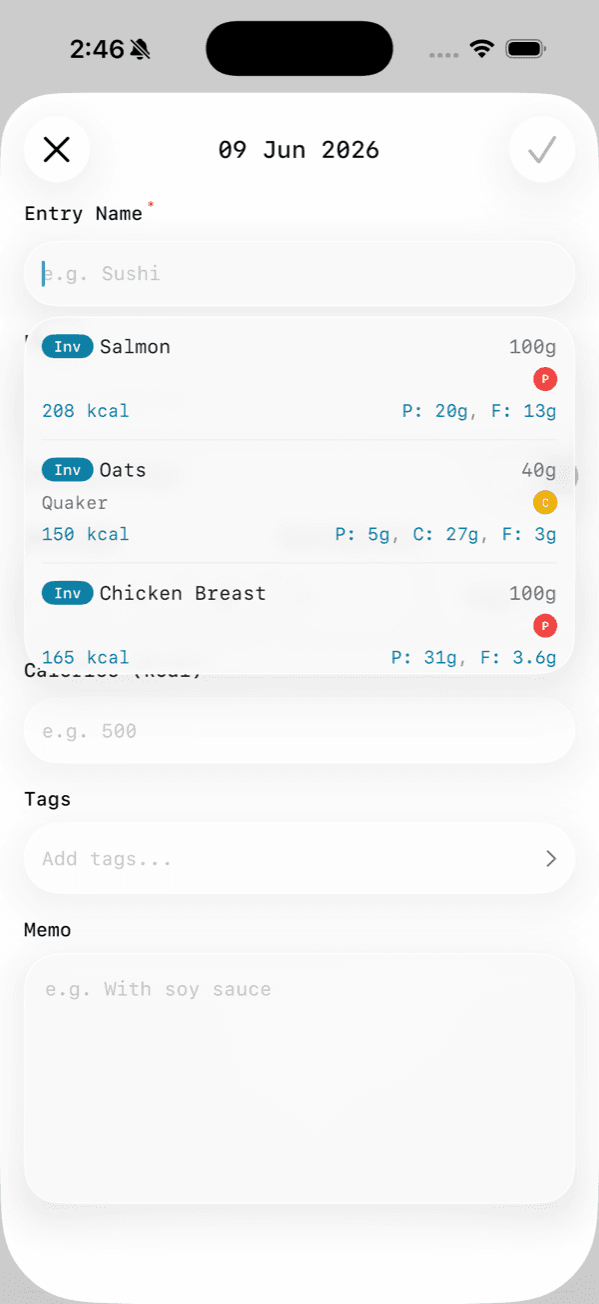 Before: focusing an empty field dumped everything you'd ever logged into one long scroll.
Start with a tap, not a search
Now, tapping into an empty field shows the things you're most likely to reach for: your recipes and inventory items, most-recent first, with a short list of recent foods below. It's a quick-pick — the meals and ingredients you've curated are right there before you type a single letter.
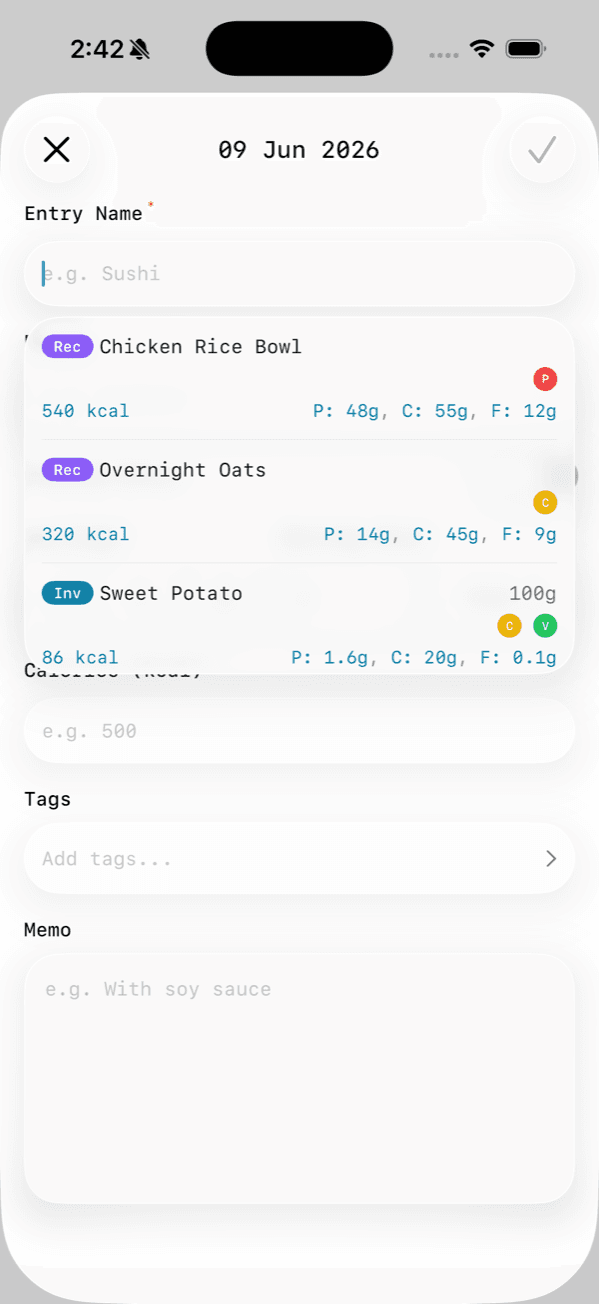 After: an empty field shows your recipes and inventory up top, ready to tap.
Type roughly — we'll still find it
Start typing and the list narrows by relevance, not just exact text. Matches on the name rank above matches on the brand, and an exact or start-of-word hit floats to the top. Best of all, it's typo-tolerant: fat-finger chikn and the food you meant still shows up — across your recipes, inventory, and past entries at once.
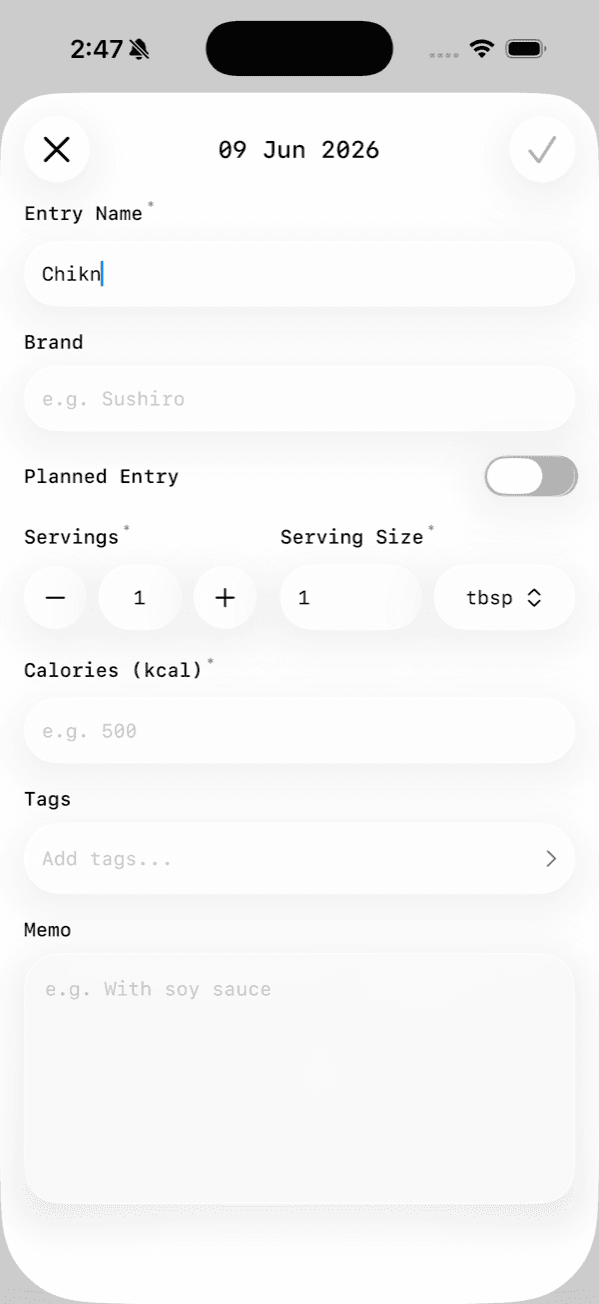 Before: a small typo like "chikn" matched nothing, and the list vanished.
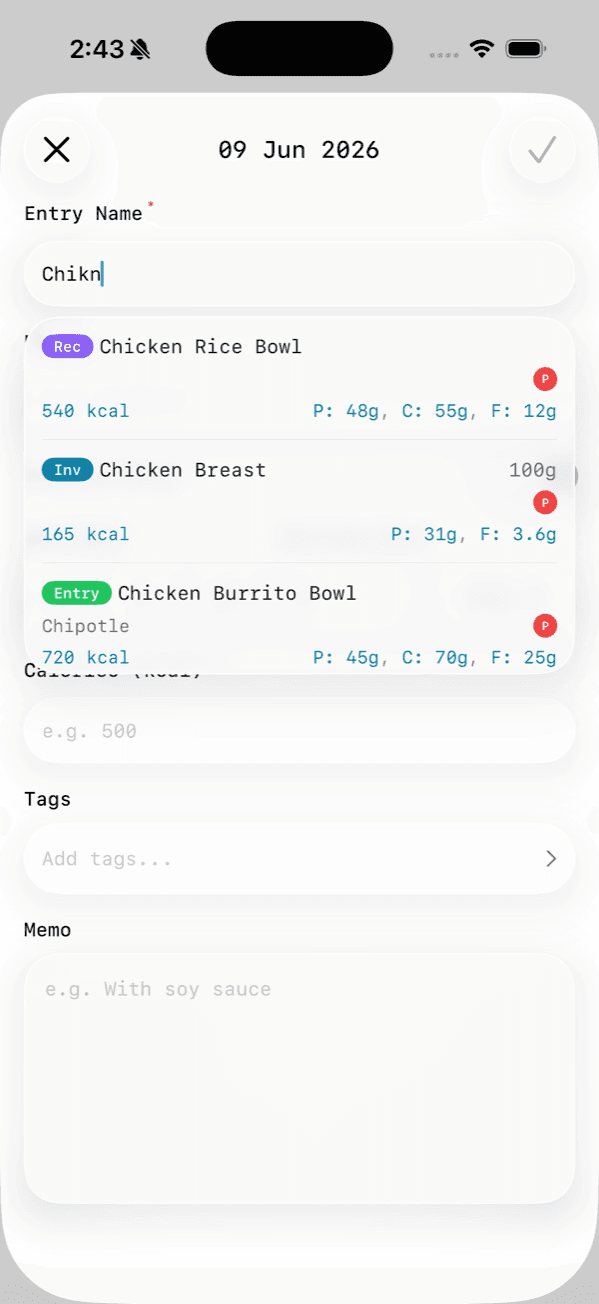 After: the same typo surfaces every chicken food you track, ranked by relevance.
It looks in your notes, too
If you keep details in a food's memo — "post-gym", "from the Thai place", "mum's recipe" — those are searchable now. Type a word you wrote in a memo and the matching food surfaces, even if the word isn't in its name. Name matches still come first, so your memos add reach without getting in the way.
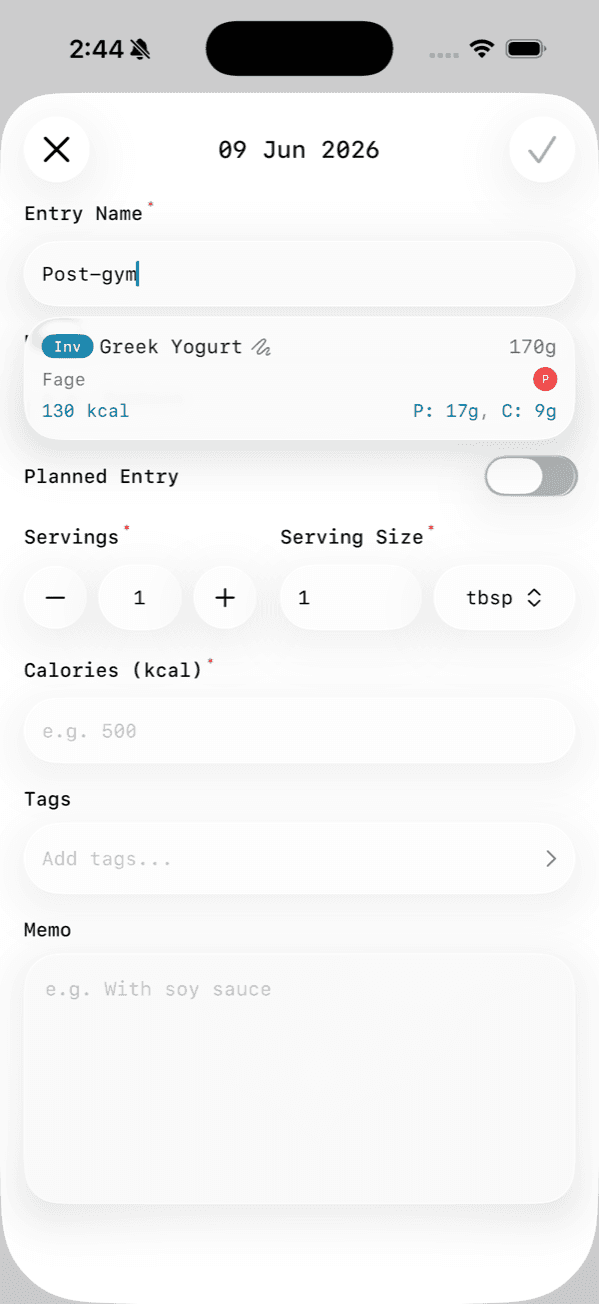 After: a word from a food's memo brings it up, even when it's not in the name.
A little on how it works
A few decisions under the hood that you'll feel without thinking about them:
- It's instant. When you focus the field, Track'd loads your foods once, then ranks them right on your phone as you type — no round-trip per keystroke, so suggestions keep up with you.
- It stays light. The list only renders the rows you can see, and once you start typing, anything that doesn't match drops away — no more endless scroll.
- It favours what you'd pick. Recipes and inventory you've curated are weighted ahead of one-off entries, and your name matches always beat a stray memo hit.
That's it — nothing new to learn. Open a new entry, start typing (or don't), and the food you mean should be a tap away.