Track'd 1.1: plan ahead, search smarter, sync to Health
Track'd 1.1 is here. This update is about two things: planning your week with less guesswork, and finding the food you mean with less typing. It also adds a few things you asked for — a choice of which day your week starts on, a home for your brands, and a way to send your macros to Apple Health. Here's what's new and how to use it.
Plan your week, day by day
If you've set up a meal plan, 1.1 makes it a lot more useful for looking ahead.
See what's planned before the day arrives
Open any future date and the day summary now includes the projected entries from your meal plans. Each one carries a Projected badge and the name of the plan it came from, so you can tell at a glance what's planned and what you've actually logged. It's built for meal prep: check Thursday on Sunday and know what you're shopping and cooking for.
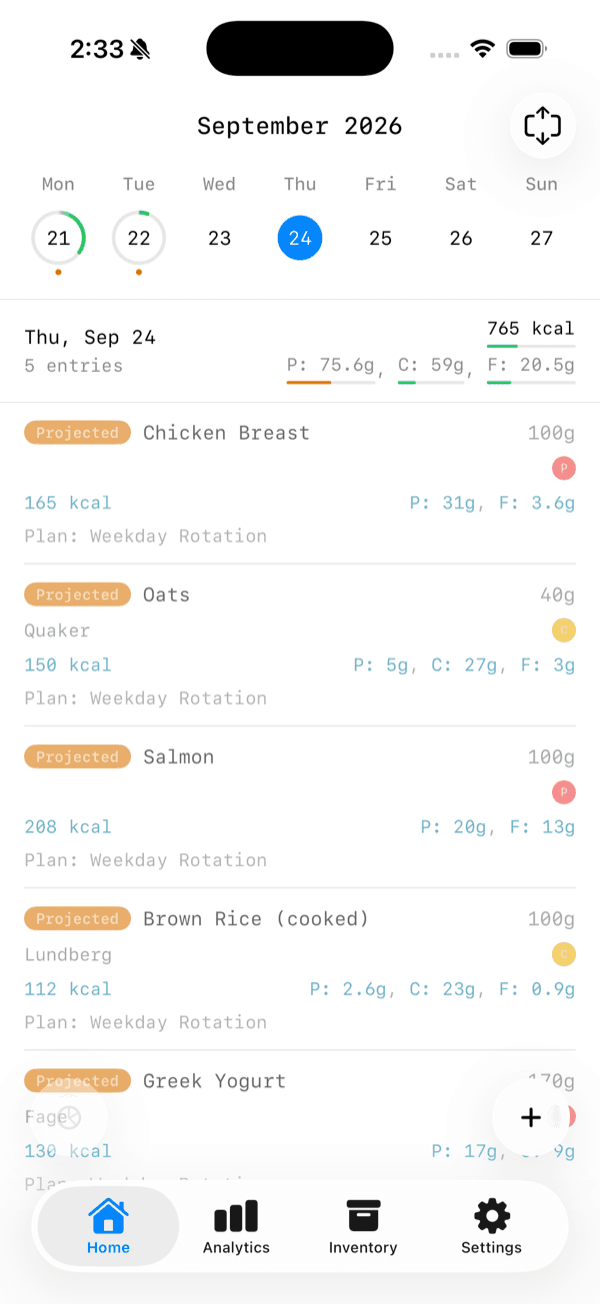 Future days now show projected entries from your meal plans, each marked Projected.
Skip a meal on days you'll eat differently
Plans repeat, but life doesn't. Going out on Friday? You can now skip a projected meal for a specific future date without touching the rest of the plan. The skip only applies to that day — the meal keeps showing up everywhere else.
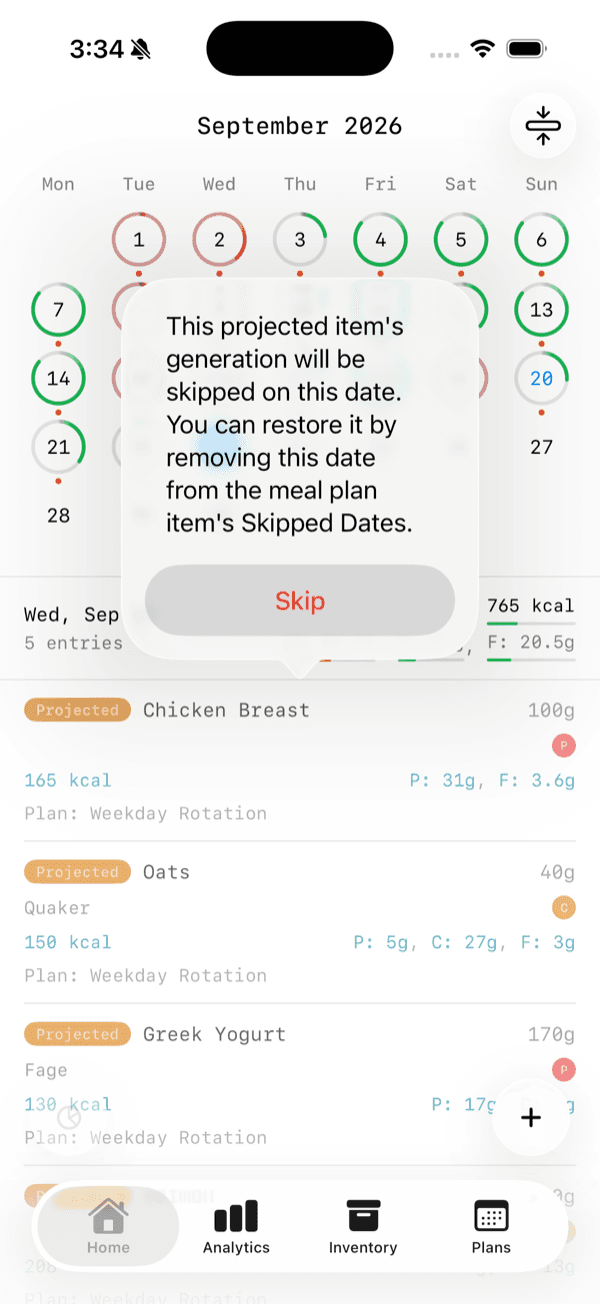 Skip a projected meal for a single future date.
Changed your mind? A skipped meal is easy to bring back. Open the meal plan item, find the Skipped Dates section on the edit page, and delete the date. The meal returns to that day.
Start your week on the day that suits you
Weeks don't start on the same day for everyone. Head to Settings and choose your Week Start Day. The choice changes both the calendar on the home screen and the calendar on the analytics page, so your weeks line up the way you think about them.
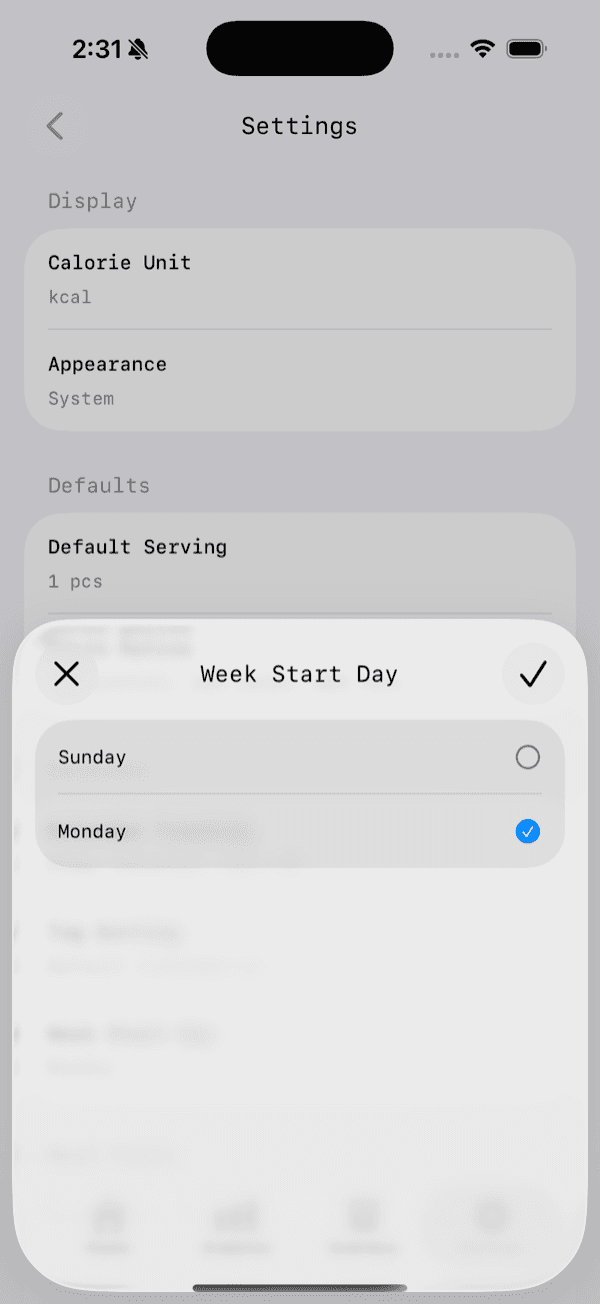 Choose which day your week starts on in Settings.
Find the food you mean, faster
Search by name and brand together
Before 1.1, search matched on either a food's name or its brand — never both at once. If you tracked a few foods with similar names from different brands, typing the name and the brand together could leave you with an empty list.
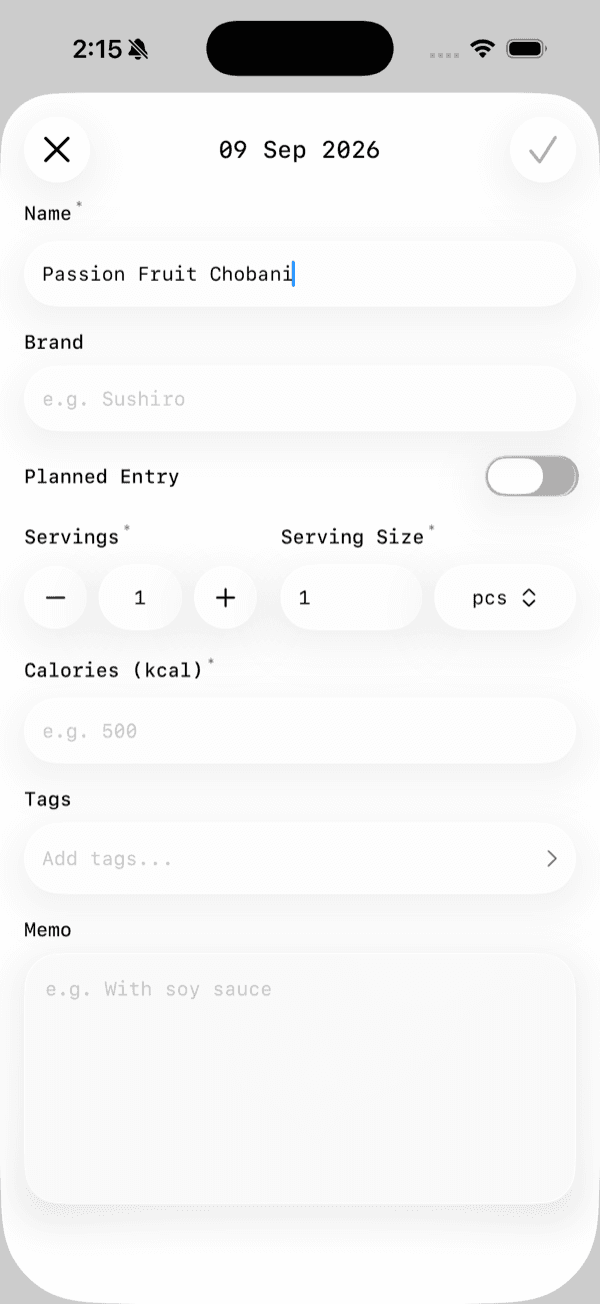 Before: typing a name and a brand together showed no suggestions at all.
Now the suggestions match across both the name and the brand, and it works across all your filters. Type a few pieces of what you remember and the food you mean shows up, brand and all.
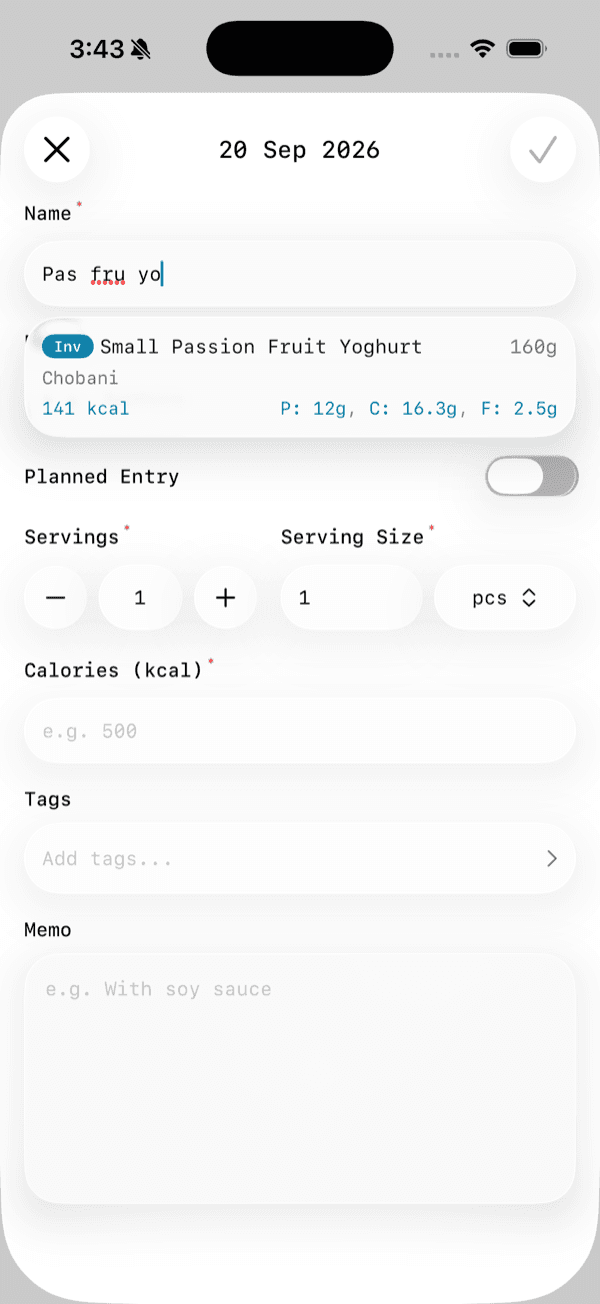 After: matching works across a food's name and brand, so a few loose letters find the right food.
Better suggestions before you type anything
Tap into the name field and you'll now see better recommendations in the empty state, based on what you use most and how recently you've logged it. The foods you keep coming back to are the first things you'll see.
Brand suggestions, and a home for your brands
Brand names now get a suggestions dropdown of their own. Start typing in the brand field and Track'd offers the brands you've already used, so you can reuse one with a tap.
Your brands also have a dedicated place to live. The new Brands view lists each brand along with how many entries and inventory items use it, so it's easy to manage them and see where each one shows up in your log.
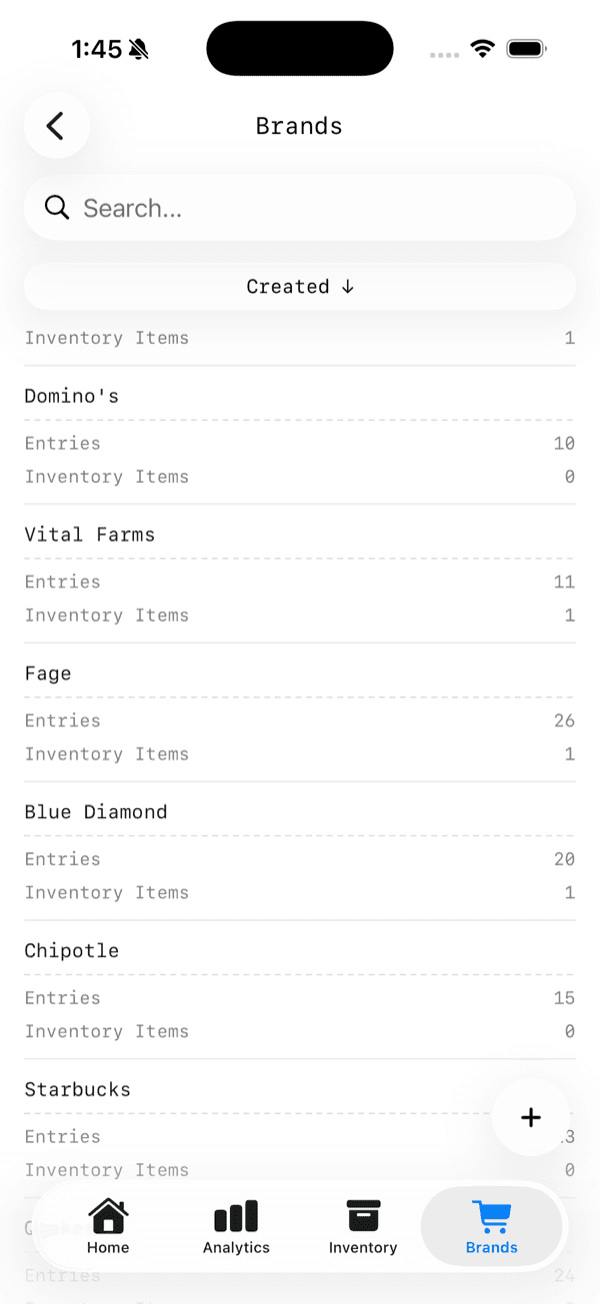 The Brands view lists each brand with how many entries and inventory items use it.
Turn a slice into a recipe
Tag a group of entries — say, everything you had for one meal — and tap that slice of the ring to see the entries behind it. In 1.1, that slice page has a new Generate Recipe option, so you can create a recipe straight from it. If you've already logged the pieces of a meal you'll eat again, you don't have to rebuild it from scratch.
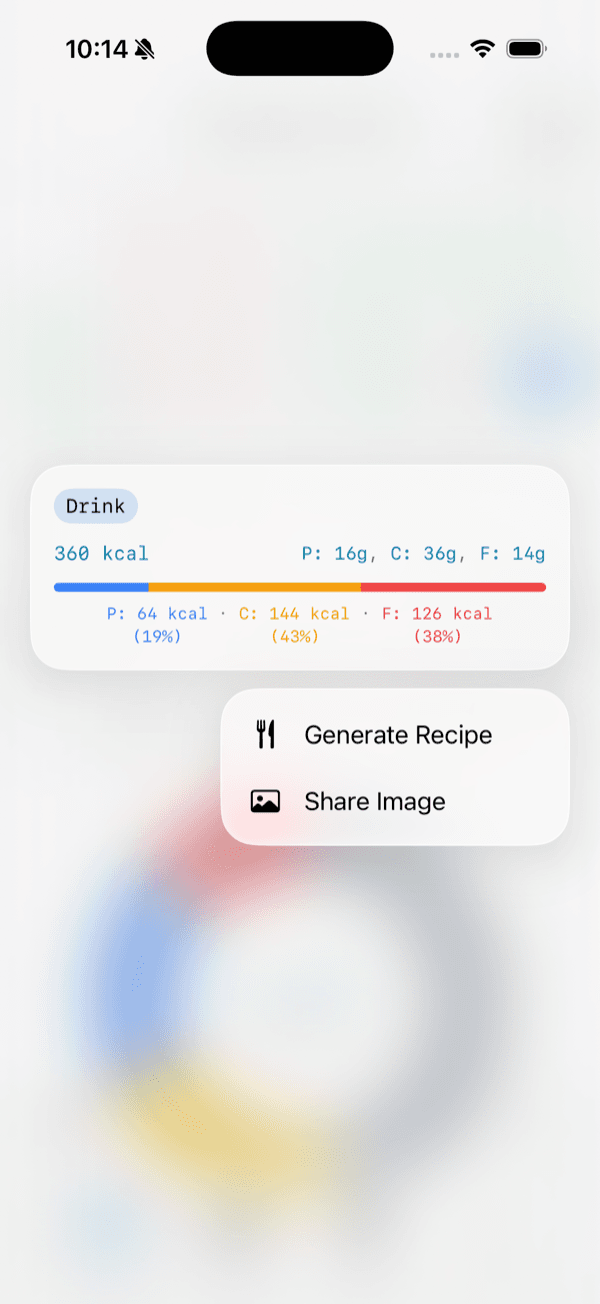 Generate a recipe straight from a slice.
Send your macros to Apple Health
Track'd can now sync to Apple Health, writing your macros there as you log. Because Apple Health is a shared home for health data, other health apps that read from it can see your nutrition too — a fuller picture of your daily intake, without entering anything twice.
Update and try it
Track'd 1.1 is available now on the App Store. Update, peek at a future day on your calendar, and see what your plan looks like. We'd love to hear what you think — and what you'd like to see next.